Physical Address
304 North Cardinal St.
Dorchester Center, MA 02124
Physical Address
304 North Cardinal St.
Dorchester Center, MA 02124
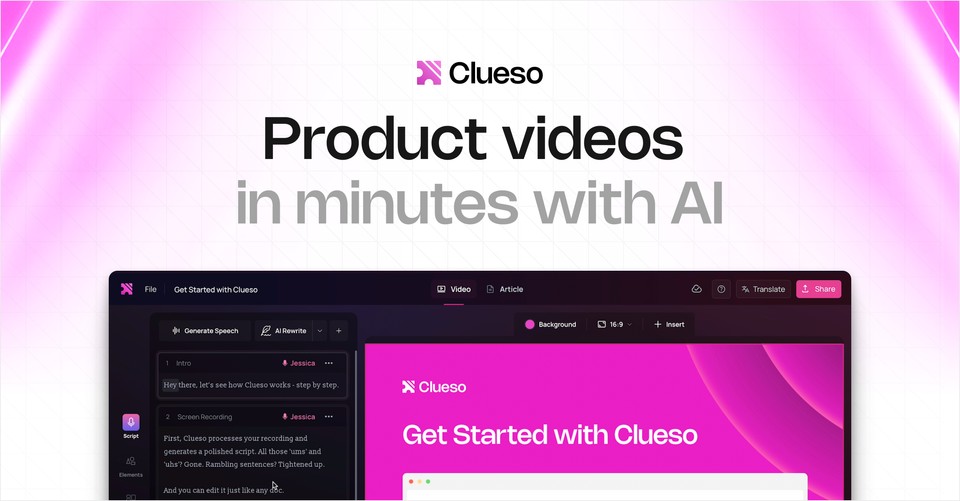
If your team spends hours recording product demos, editing training videos, and manually writing documentation, you’re not alone. Modern SaaS companies constantly struggle to keep tutorials and help guides up to date.
This is where Clueso positions itself: an AI-powered platform that transforms raw screen recordings into polished product videos and step-by-step documentation in minutes.
But is Clueso actually worth it?
Is it better than tools traditional editors?
And most importantly — is it worth paying for?
Clueso is an AI-driven video and documentation automation platform built specifically for:
SaaS product teams
Customer education departments
Onboarding & training teams
Support knowledge base creators
Instead of manually editing videos, trimming filler words, rewriting scripts, recording voiceovers, and creating written SOPs — Clueso automates most of the post-production workflow.
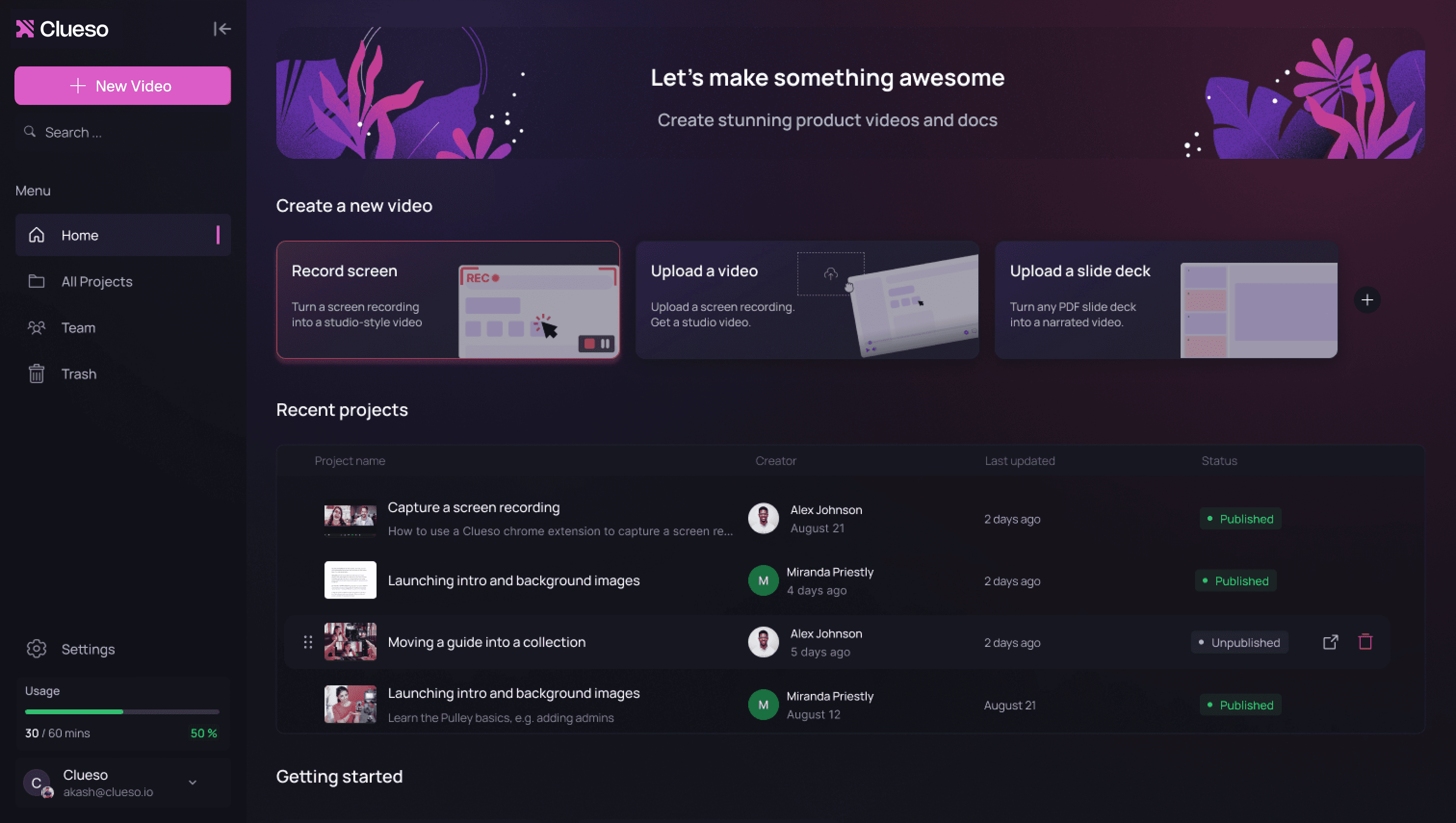
You simply:
Record your screen
Upload it
Let AI clean, script, enhance, and generate documentation
Within minutes, you get:
A polished training video
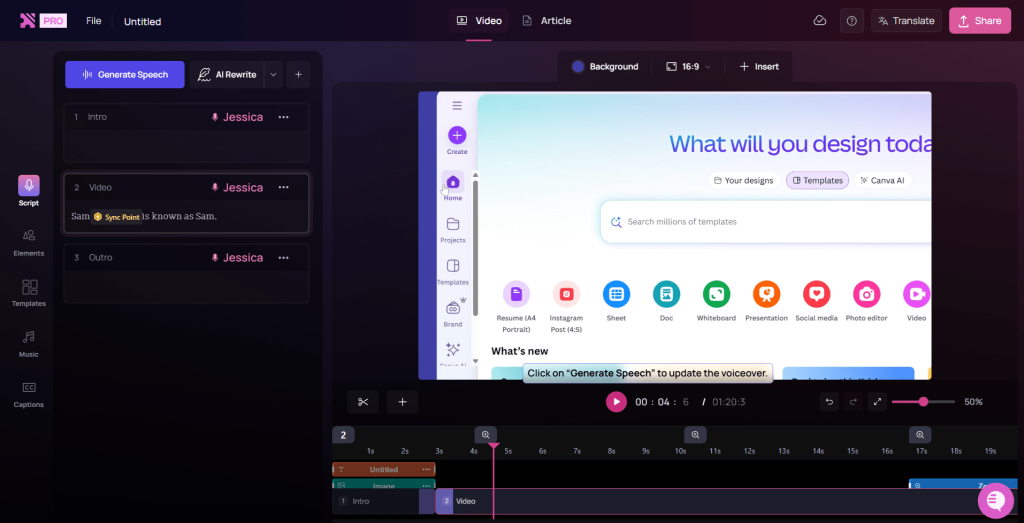
AI-generated voiceover
Clean transcript
Step-by-step written article
Annotated screenshots
It’s essentially an automated video editor + technical writer in one tool.
Clueso automatically removes filler words, awkward pauses, and messy narration. It rewrites raw speech into clean instructional language. This alone can save hours of manual editing.
Instead of using your original audio, you can replace it with professional AI-generated voice tracks. This is particularly useful if:
You recorded in a noisy environment
You don’t want to re-record
You need consistent tone across videos
While traditional tools force you into the tedious process of manual keyframing, Clueso revolutionizes the workflow by automatically detecting UI elements and intelligently zooming into buttons and menus during walkthroughs.
Perhaps Clueso’s most transformative capability is its power to instantly convert screen recordings into structured written documentation. This high-efficiency workflow allows teams to generate both a video tutorial and a comprehensive article from a single recording, dramatically accelerating knowledge base expansion while maintaining a perfectly consistent format across all guides.
Perhaps the most powerful feature: turns videos into structured written documentation.
This means:
One recording → both video + article
Faster knowledge base expansion
Consistent documentation format
You can apply brand styling, add captions, and maintain visual consistency across your training library.
Clueso is particularly strong in structured environments where documentation is frequent and repetitive.
Clueso excels in structured environments where documentation is both frequent and repetitive, making it an essential tool for modern SaaS onboarding. Companies leverage the platform to rapidly produce feature walkthroughs, release update videos, and comprehensive help center tutorials. The real value, however, is found in the efficiency gains: while traditional video editing typically drains 3–4 hours per video, teams using it report dramatically faster turnaround times. By automating the tedious parts of production, it allows product teams to focus on education rather than editing.
HR and L&D departments use it to:
Build onboarding kits
Standardize SOP training
Update internal documentation quickly
For rapidly growing SaaS companies, Clueso offers a strategic path to scaling tutorial production without the overhead of hiring additional video editors. The platform is particularly effective in structured environments where documentation is frequent and repetitive, allowing teams to maintain a vast library of feature walkthroughs, release updates, and help center tutorials with ease. When a team scales to producing 20–30 tutorials per month, the shift from manual editing to AI-driven automation becomes a massive ROI factor. Instead of losing 3–4 hours to the “editing abyss” for every single video, teams can now publish professional-grade documentation in a fraction of the time, ensuring their customer education libraries stay as agile as their product.
Clueso offers tiered pricing designed for teams of different sizes. Typically, you’ll find:
Free trial (no credit card required)
Starter plan with export limits
Growth plan with higher usage capacity
Enterprise plan with SSO, advanced collaboration, and dedicated support
The structure is predictable — you pay based on export limits and usage volume rather than unpredictable metered pricing. This makes budgeting easier for startups and mid-sized SaaS companies.

When evaluating any SaaS tool — especially one handling internal recordings — security matters. Third-party platforms like Scamadviser generally assign favorable trust indicators to the domain based on SSL status and infrastructure signals. At the same time, automated domain evaluation sites sometimes give cautious ratings due to technical factors such as domain age or proximity analysis.
Clueso states compliance with security standards such as SOC 2 Type II and ISO 27001, which are important for enterprise-level trust. As with any SaaS platform, it’s wise to:
Review privacy policies
Check recent user reviews
Start with limited test usage
Overall, there are no major red flags indicating it is unsafe — but standard due diligence is always recommended.
To understand where Clueso fits into your tech stack, it is helpful to compare its positioning against industry standards like Loom:
Loom: Primarily designed for speed and instant communication. It is the go-to tool for recording and sharing quick video messages with minimal friction.
Clueso: Moves beyond simple recording by focusing heavily on AI post-production automation and documentation generation.
The Verdict: If your goal is quick, informal video messaging, Loom is often sufficient. however, if you need to transform screen captures into structured tutorials and polished written guides, Clueso holds a distinct competitive edge.
Manual editors offer full creative control but require:
Time
Editing expertise
Multiple tools
Clueso sacrifices some deep creative control in exchange for massive time savings and automation.

✔ Strong AI automation
✔ Generates both video and written documentation
✔ Reduces editing time dramatically
✔ Good for scaling knowledge content
✔ Structured pricing tiers
✘ AI output may require manual refinement
✘ Not ideal for cinematic or YouTube-style content
✘ Best value appears for teams, not solo hobby creators
Clueso is engineered specifically for high-growth environments where speed and documentation accuracy are paramount. It is the ideal solution for:
SaaS Companies Scaling Onboarding: Teams that need to rapidly guide new users through complex interfaces without manual bottlenecks.
Product Teams Shipping Frequent Updates: Organizations that release new features weekly and need their documentation to keep pace.
Support Teams Building Help Centers: Departments focused on creating self-service libraries that reduce the volume of repetitive support tickets.
Internal Training Departments: Teams responsible for onboarding employees or documenting internal software workflows efficiently.
Conversely, Clueso may not be the optimal choice for certain niche creators. It is likely not the best fit for:
YouTubers: Content creators who require heavy, creative post-production and stylistic video editing.
Solo Creators: Individuals who need granular control over advanced animations or custom visual effects.
Marketing Teams: Projects aimed at producing cinematic, highly-polished promotional videos rather than functional, instructional content.
Clueso is far more than a simple screen recorder; it is a comprehensive, AI-driven documentation engine designed for high-velocity teams. If your organization regularly produces product walkthroughs, onboarding videos, Standard Operating Procedures (SOPs), or help center tutorials, Clueso can fundamentally transform your output by significantly reducing production time and ensuring total brand consistency.
For scaling SaaS companies, the sheer volume of hours reclaimed from manual video editing and technical writing often justifies the cost of the platform alone. By automating the transition from a screen recording to a polished, multi-format guide, Clueso allows your team to focus on product innovation rather than documentation maintenance.
If you are evaluating the platform, the most effective approach is straightforward:
Activate a free trial to explore the interface.
Generate one complete tutorial from start to finish.
Audit the results by comparing the time saved against your traditional, manual workflow.
If efficiency and scalability are at the top of your priority list, Clueso is absolutely worth serious consideration as a core component of your tech stack.

